
- Profile
- Security
- Connections
- Transaction History
- Teams
Security
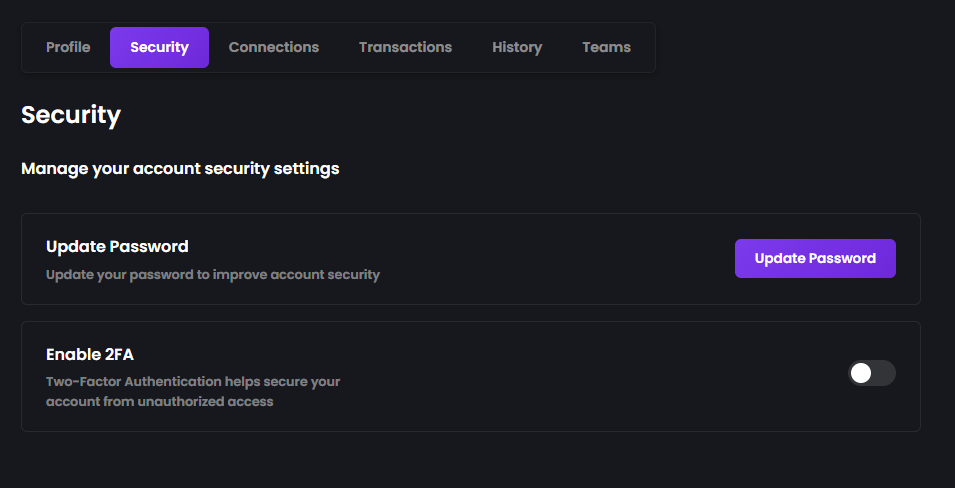
We highly recommend enabling Two-Factor Authentication (2FA) to help protect your account. Two-Factor Authentication adds an extra layer of security by requiring a verification code when you sign in from a new device. To enable 2FA:- Open Settings → Security.
- Click Enable 2FA.
- Scan the QR code using an authenticator app.
- Enter the verification code to complete setup.
Connections
Before you can participate in matches, you’ll need to connect the required accounts. Open Settings → Connections to manage your linked accounts.Discord (Required)
Connecting your Discord account is required before you can compete on Bullets. Discord is used to help players communicate and participate in matches. Click Connect Discord and complete the authorization process.Yunite (Required)
Your Yunite account must also be connected before you’re eligible to play. Click Connect Yunite and follow the authentication process to link your account.Twitch (Optional)
Connecting your Twitch account is completely optional. If you’re a creator or streamer, linking Twitch helps connect your Bullets account with your streaming profile and may enable creator-related features in the future.Profile
The Profile section lets you manage your public account information. Here you can view and update your profile details, such as your display information and avatar, where available.Transaction History
The Transaction History page provides a complete record of activity on your account. Here you can review:- Deposits
- Withdrawals
- Tips
- Other wallet transactions
Teams
The Teams section allows you to create and manage teams for supported team-based matches. You can invite teammates, manage your team, and more.You’re Ready to Play
Once you’ve:- Enabled Two-Factor Authentication (recommended),
- Connected your Discord account,
- Connected your Yunite account,